
Short answer: IPTV Smarters Pro is a free IPTV player app — it has no channels of its own. You download it from your device’s app store or the developer’s official site (iptvsmarters.com), choose Login with Xtream Codes API, enter the server URL, username and password your IPTV provider gave you, and your live TV, movies, series and TV guide appear. On a Firestick you install it with Amazon’s Downloader app. Below is the exact setup for each device, the settings worth changing, and the fixes for every common error.
Smarters is the most widely used IPTV player in North America for a simple reason: it runs on almost everything and looks the same everywhere. Learn it once on your phone and you can set up the living-room Firestick, the bedroom Samsung and the laptop in the same ten minutes.
What IPTV Smarters Pro Is — and Isn’t
IPTV Smarters Pro is made by WHMCS Smarters, a software company that builds player apps for IPTV providers. The app is a shell: it gives you a home screen with Live TV, Movies, Series and Catch-up tiles, a TV guide and a video player. What fills those tiles is the subscription you log in with.
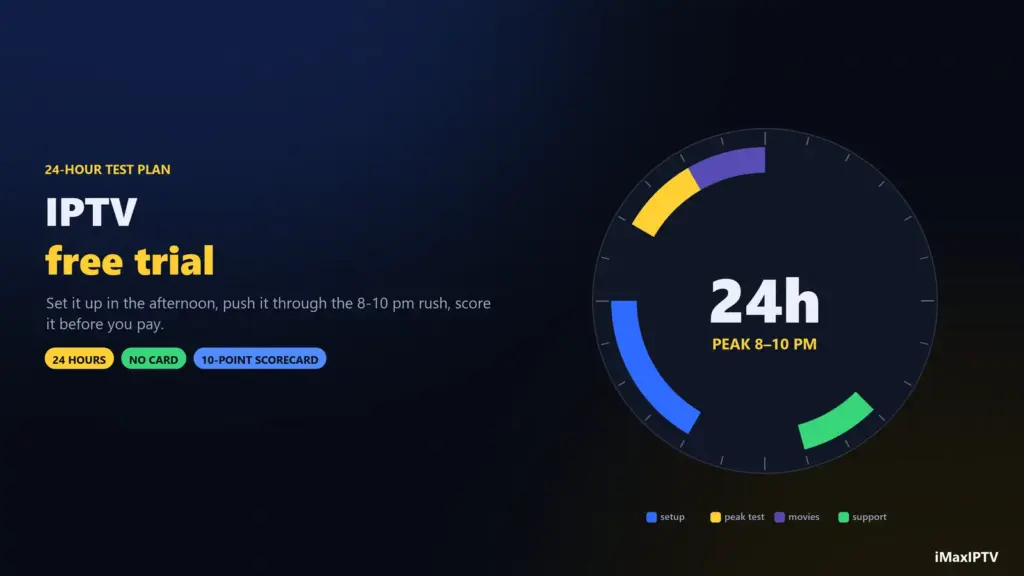
That’s why searching for “IPTV Smarters Pro channels” or “Smarters free login” leads nowhere good. The app does not sell or include a service, and logins shared on forums stop working within days. You need your own subscription — with iMaxIPTV the login arrives on WhatsApp 5–15 minutes after you order, and the 24-hour free trial uses the same login format, so you can test Smarters with a real line before paying.
Where to Download IPTV Smarters Pro (Device by Device)
| Device | Where to get it | Notes |
|---|---|---|
| Android phone / tablet | Google Play or iptvsmarters.com | Search “IPTV Smarters Pro”; check the developer is WHMCS Smarters |
| Android TV / Google TV box | Google Play or Downloader | Same app as phones, with a TV layout |
| Fire TV Stick / Fire TV | Downloader app (sideload) | Enable “Install unknown apps” for Downloader first |
| iPhone / iPad / Apple TV | App Store | Listed as Smarters Player Lite |
| Samsung / LG Smart TV | The TV’s app store, where available | If it’s missing in your region, use a Fire TV Stick or a MAC-based player |
| Windows / macOS | iptvsmarters.com | Desktop version, handy for testing |
Swipe the table sideways to see every column.
Only download from these sources. Modified “Smarters Pro premium” APKs passed around on Telegram and YouTube are the easiest way to put malware on a device that is logged into your Amazon or Google account.
How to Install IPTV Smarters Pro on a Firestick
The Firestick is where most people use Smarters, and it is the one device where the app is not a one-click install. The process takes about five minutes:
- Install Downloader. On the Fire TV home screen go to Find → Search, type Downloader, and install the orange app by AFTVnews.
- Allow it to install apps. Open Settings → My Fire TV → Developer options → Install unknown apps and switch Downloader On. If you don’t see Developer options, open Settings → My Fire TV → About and click your device name seven times to unlock it.
- Get the APK. Open Downloader and enter the download link from the official iptvsmarters.com download page (or the link your provider sends you). Downloader fetches the file.
- Install and tidy up. Click Install, then Done, then let Downloader delete the APK file to free up storage — Firesticks have very little.
- Move it to the front. Hold the Home button, choose Apps, highlight Smarters and press the menu button → Move to front.
For the full Firestick walkthrough with screenshots — including the Ethernet adapter that stops most buffering — see our IPTV on Firestick guide.
How to Log In: Xtream Codes vs M3U
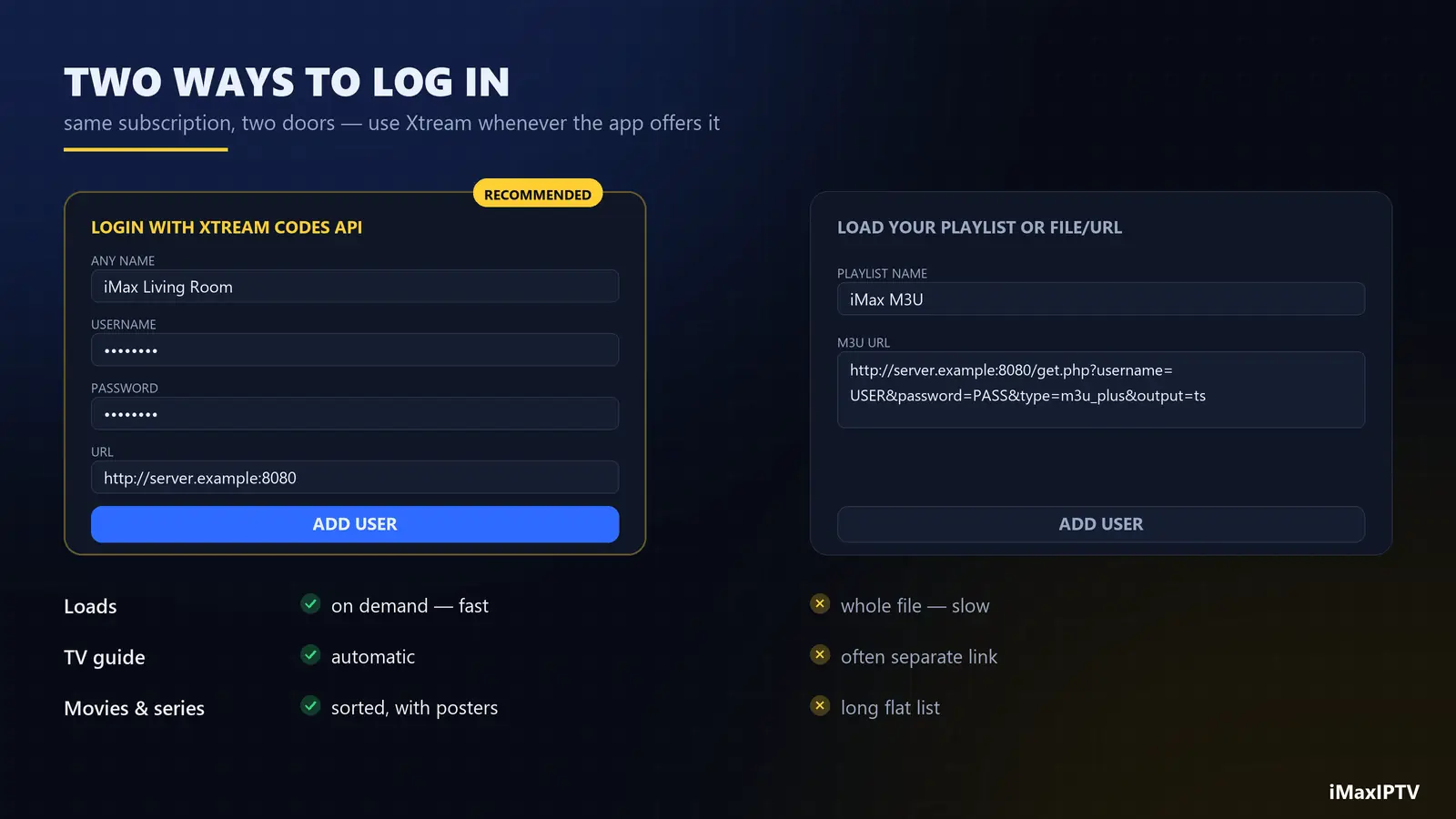
When you open Smarters for the first time it asks how you want to add a user. You will see several options; only two matter.
Login with Xtream Codes API (recommended)
- Any name — a label just for you, e.g. “iMax Living Room”.
- Username and Password — exactly as your provider sent them; they are case-sensitive.
- URL — the server address including
http://and the port, e.g.http://server.example:8080. No trailing slash, no spaces.
Xtream logins load faster, keep movies and series sorted into categories, and download the TV guide (EPG) automatically.
Load your playlist or file/URL (M3U)
Paste the single long M3U link from your provider. It works, but large playlists load slowly and the guide may need a separate EPG link. Use it if the Xtream login fails for some reason. We explain the trade-offs in detail in M3U vs Xtream Codes.
Tap Add user, wait while Smarters downloads live channels, movies, series and the guide — the first sync can take a minute on a big line-up like iMaxIPTV’s 50,000+ channels — and you’re in.
The Settings Worth Changing on Day One
Smarters works out of the box, but five settings make a real difference:
- Stream format (Settings → Stream Format). Default is fine for most lines. If live channels stutter, try MPEGTS; if they fail to start, try HLS.
- Player selection (Settings → Player Selection). The built-in player handles most streams. If you get sound but a black picture, switch Live to VLC or another engine — it’s a codec issue, not a broken channel.
- Time format and EPG timeshift. If the guide shows the wrong programme, adjust the EPG time shift by your time-zone offset — common for viewers in Mountain and Pacific time.
- Parental control. Set a PIN and lock the adult categories before the kids find the remote.
- Automation (Settings → Automation). Turn on automatic channel and EPG refresh so new channels appear without a manual reload.
IPTV Smarters Pro Not Working? Fix It by Symptom
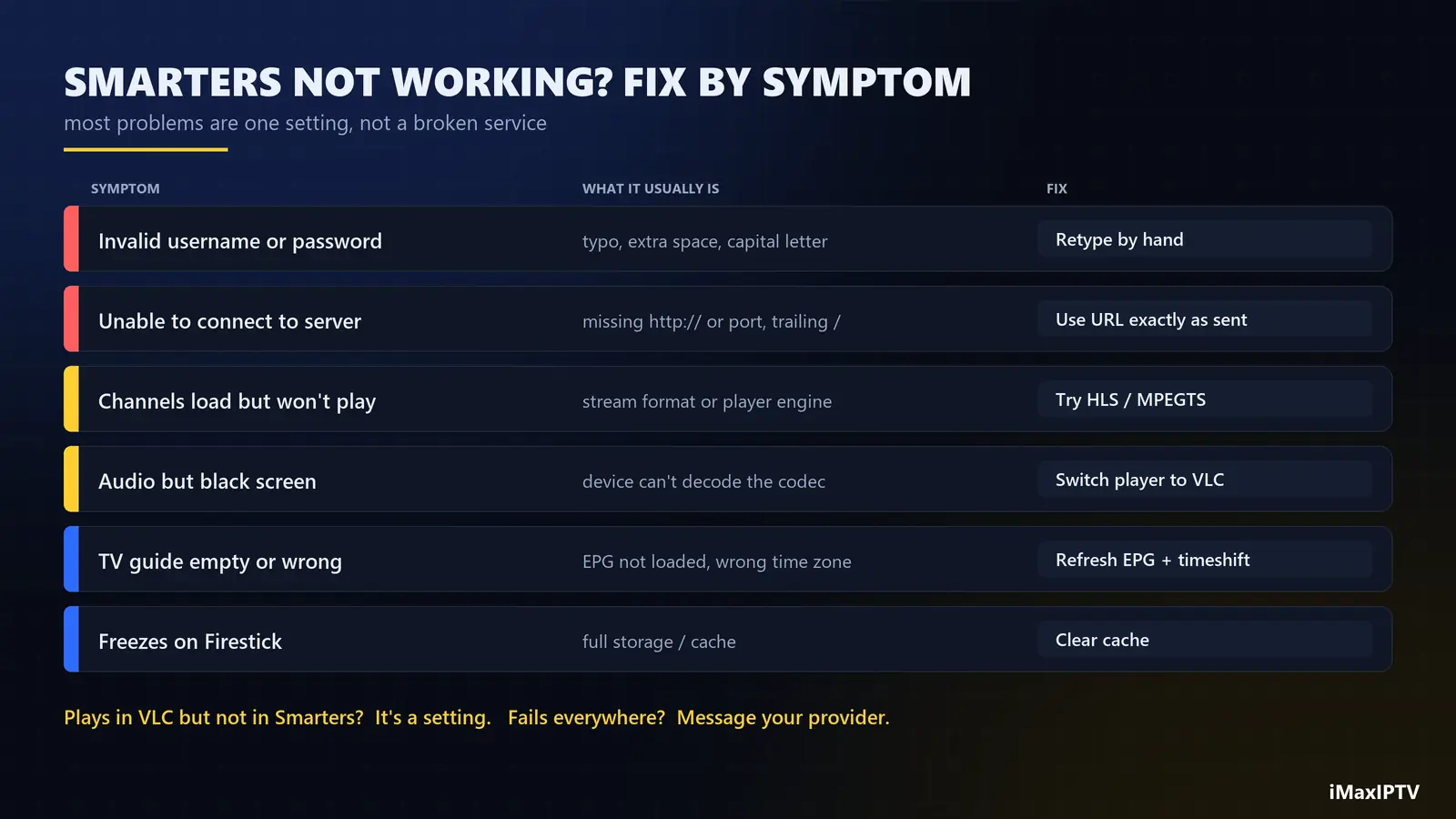
| Symptom | Most likely cause | Fix |
|---|---|---|
| “Invalid username or password” | A typo, a trailing space, or a capital letter | Retype by hand; copy from your phone carefully |
| “Unable to connect to server” | URL missing http:// or the port, or a trailing slash |
Use the URL exactly as sent, nothing extra |
| Channels load but won’t play | Stream format or player engine | Switch format (HLS / MPEGTS) or player (VLC) |
| Audio but black screen | The device can’t decode that video codec | Change the player engine for Live TV |
| Guide (EPG) empty | EPG not downloaded yet, or wrong time zone | Settings → refresh EPG; set the timeshift |
| Buffers only in the evening | Network congestion or an overloaded server | Test with Ethernet; see our buffering guide |
| App crashes or freezes on Firestick | Full storage or cache | Settings → Applications → Smarters → Clear cache |
Swipe the table sideways to see every column.
A quick way to tell an app problem from a service problem: play the same channel in a second player such as VLC. If it plays there, the issue is a Smarters setting. If it fails everywhere, contact your provider — at iMaxIPTV, a WhatsApp message gets a real person 24/7.
Smarters Pro vs the Alternatives
Smarters is the safest default, but not always the best. TiViMate has the best TV guide on Android TV and Firestick and is the pick for people coming from cable. Smarters Player Lite is the right choice on iPhone and Apple TV. On Samsung and LG TVs without Smarters, MAC-based players are the usual route. Our best IPTV player comparison ranks seven apps device by device.
The Bottom Line
IPTV Smarters Pro is free, runs on nearly every screen in the house, and takes ten minutes to set up: install it from an official source, log in with Xtream Codes, adjust two or three settings, and you’re watching. The app is only as good as the line behind it, though — so pair it with a provider you’ve tested. Grab a free iMaxIPTV trial, log it into Smarters tonight, and judge the picture during the evening game.
Frequently Asked Questions
Is IPTV Smarters Pro free?
Yes, the app is free to download. It includes no channels; you log it into your own IPTV subscription, which is what you pay for.
Is IPTV Smarters Pro available on Firestick?
It is usually installed with Amazon’s Downloader app: install Downloader, allow it to install unknown apps in Developer options, and enter the download link from the official iptvsmarters.com page.
What is the URL for IPTV Smarters Pro login?
There is no universal URL. The server URL comes from your IPTV provider together with your username and password. Enter it exactly as sent, including http:// and the port number.
Why does IPTV Smarters Pro say invalid credentials?
Almost always a typo: an extra space, a wrong capital letter, or the wrong URL. Retype the login by hand. If it still fails, check with your provider that the account is active.
Can I use IPTV Smarters Pro on more than one device?
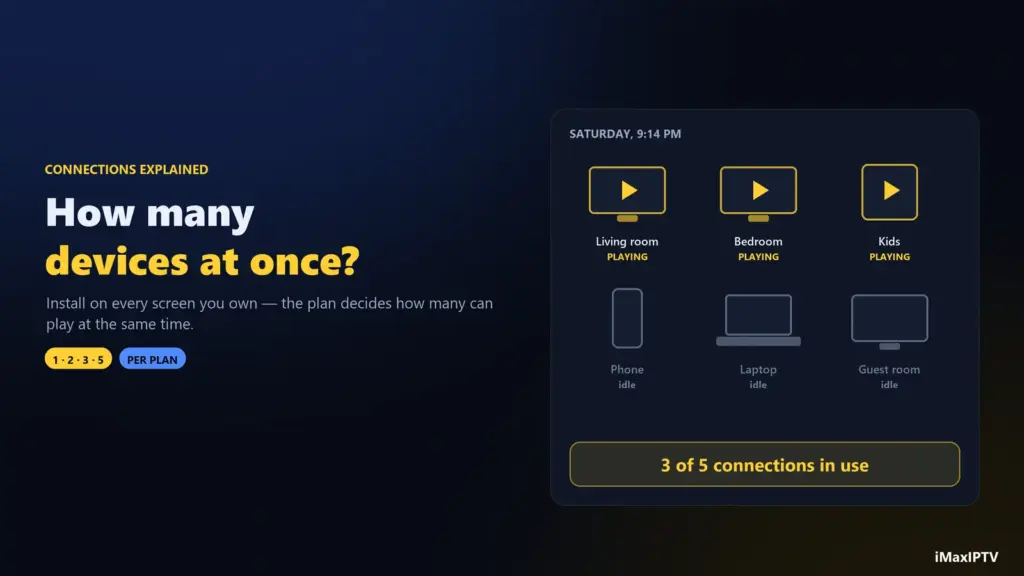
Yes, you can install it on as many devices as you like and log in with the same account. How many can play at the same time depends on your plan’s connections — at iMaxIPTV that’s 1 device on short plans, 2 on 1 Year, 3 on 2 Years and 5 on Lifetime.
Is IPTV Smarters Pro on iPhone?
On iPhone, iPad and Apple TV the app is published as Smarters Player Lite in the App Store. It uses the same Xtream Codes or M3U login.
Ready to try iMaxIPTV?
50,000+ channels in 4K. Instant setup, money-back guarantee.
Leave a Reply